PAPER ANIMATION / WORKING METHOD

A SMALL PAPER MOTION STUDIO

Paper Animation is a browser tool for turning creator-provided images and text into short, tactile video inserts. The work sits between material study and practical editing: the surface should feel physical, while the output should remain predictable enough to publish.

UPDATED AUG 15, 2026FIELD NOTES
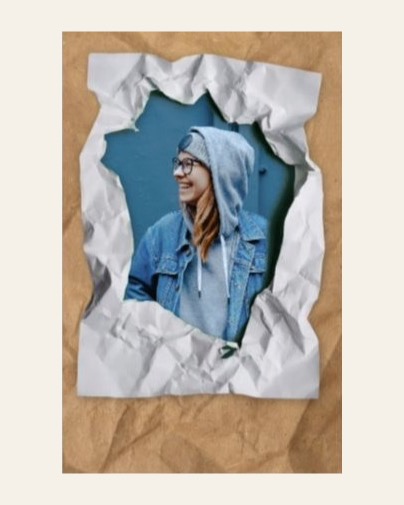
Paper surface and fold stage used by Paper Animation
IMAGE / STUDIO PREVIEW01
01

THE PRODUCT IDEA

Most paper animation requests begin with a simple need: a creator has a photo, a phrase, or two moments and wants a stronger transition than a default wipe. Paper Animation turns that request into a focused studio rather than a timeline full of empty controls.

Each template starts with a small visual promise. Crush Reveal opens a paper object into an image. Newspaper Highlight gives a photo a headline. Scrapbook Photo Stack gives multiple photos a physical sequence. Torn Paper Wipe marks a change between two complete frames.

02

GENERATED MATERIAL, CONTROLLED MOTION

The paper materials in the current image-first templates are generated as static production assets. Image generation supplies paper fibers, marker pigment, tape, frames, ink variation, and torn edges. It does not attempt to create a continuous animation. That choice keeps the material library consistent and leaves motion to code.

Remotion and browser rendering control the timeline, crop, shadow, depth order, and output. A seed selects repeatable variants, so the preview and the export share the same project state. The result can be tested with a fixed matrix rather than judged from one lucky frame.

That workflow also makes the product easier to improve. When a paper edge fails, the failure can be tied to a direction, speed, source type, or frame range. A specific failure gives the next material or renderer pass a clear target.

03

TEXT STAYS EDITABLE

Headlines, highlighted phrases, comment text, and cutout letters are rendered from user input. The material prompts avoid readable text, symbols, and logos. This keeps the final words under application control and gives creators a reliable way to revise a headline without regenerating the paper surface.

Input is normalized for the supported character set before layout. The goal is a typed phrase that stays legible at phone scale, with paper texture adding character around it rather than competing with its shape.

04

LOCAL-FIRST IMAGE HANDLING

The current browser studios read selected images locally and pass them into the preview and local export path. The source photograph is not sent to a product upload endpoint by the current renderer. This model keeps the first workflow quick and makes the image boundary clear while the product is in early access.

The studio still needs a stable browser, enough memory for high-resolution frames, and a user decision about where the downloaded video will be stored. Those operational details are part of the product experience and are tested alongside the visual effect.

05

HOW A TEMPLATE EARNS A PLACE

A template moves through an asset review, a deterministic preview check, an export matrix, and a mobile pass. The test set includes portraits, landscapes, transparent PNGs, product images, light and dark scenes, and text-led graphics. The final MP4 is inspected with media metadata and frame samples.

A template belongs in the public library when its input contract is clear, its first and last frames are reliable, its output works in a real editor, and its controls solve a recognizable short-form job. More decoration does not qualify a template for release.

06

THE NEXT ITERATION

The current focus is image-first paper motion. Usage data will decide which planned template deserves the next production pass. The useful signals are upload completion, preview readiness, export success, repeat exports, and the moment where people leave the studio. Those signals are more useful than adding a large gallery of effects that few people finish.

Paper Animation is built in public through small, testable releases. The template library can grow while the core promise stays narrow: give a creator a tactile motion they can understand, control, and put into a short-form edit.