





PAPER FOLD EFFECT / LIVE RESULT

A PAPERANIMATOR ALTERNATIVE FOR SHORT-FORM VIDEO

✓ 9 STATES✓ 4.125 SEC✓ 30 FPS✓ MP4 / WEBM
OPEN FULL STUDIO
01 / SOURCE + OUTPUT

THE SAME FRAME, FOLDED.

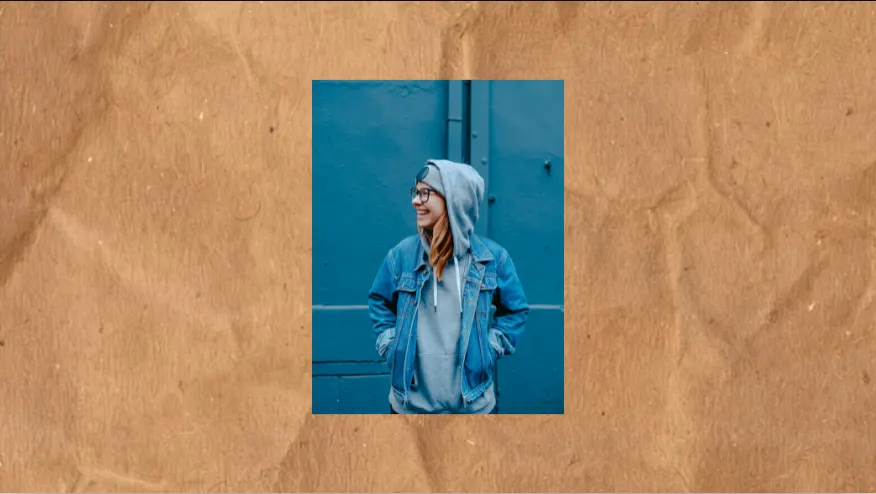
Portrait source image prepared for the Paper Fold effect
SOURCEONE IMAGE
Paper Fold output revealing the source image through photographed paper plates
OUTPUT4.125 SEC / 30 FPS
02 / SETTINGS

FIT. FILL. WIDE.

Paper Fold Fit setting in a portrait frame
FIT / 9:16
Paper Fold Fill setting in a square frame
FILL / 1:1
Paper Fold Wide setting in a landscape frame
WIDE / 16:9
03 / FRAME CHECK

CROP CHANGES THE CUT.

Paper Fold failed crop with the subject clipped at the edge
FAILED / FILL + OFFSETSUBJECT CLIPPED
Paper Fold corrected Fit crop with the subject held inside the frame
CORRECTED / FITFULL FRAME
04 / EXPORT ACCESS

PREVIEW FIRST. EXPORT CLEAN.

FREEUNLIMITED720P / 30 FPSWATERMARK$0
CREATOR ANNUALUNLIMITED1080P / 60 FPSCLEAN$39/ YEAR
CREATOR MONTHLYUNLIMITED1080P / 60 FPSCLEAN$4.99/ MONTH
EXPORT PACK20 EXPORTS1080P / 60 FPSCLEAN$3.99 ONE TIME
VIEW ALL EXPORT OPTIONS →
05 / FOLD NOTES

PAPER WITH A FRAME CLOCK.

01

CHOOSE BY THE FINAL SHOT

PaperAnimator is the reference product for this comparison. Review its live product and pricing pages for the current hosted workflow, feature set and plan details before choosing a tool.

Paper Animation focuses on full-frame transitions where an uploaded image becomes the revealed paper sheet. Its distinguishing template uses photographed paper states and contact shadows. It also includes a deterministic magazine-letter composition and a fictional social-comment match cut.

02

WHERE PAPER ANIMATION DIFFERS

The image workflow stays inside the browser and exposes fit, crop, paper placement, shadow, direction, aspect ratio and frame-rate controls. The live-action template is designed to preserve the complete uploaded image at the end of the reveal rather than extract only an oval or subject cutout.

Paper Animation currently operates as an early-access product. Compare the hosted account and credit workflow on the linked PaperAnimator pages with the local browser workflow shown here.

03

COMPARISON METHOD

This page compares the workflows represented by the two linked product pages. Paper Animation is the product represented by this website, and competitor names identify the service being compared.

Pricing and features can change. The linked PaperAnimator pages remain the source for its current plans; Paper Animation capabilities are checked against the production templates and export controls in this build.

04

INPUTS AND FINAL-FRAME CONTROL

Paper Animation is organized around explicit inputs: one image for Crush Reveal, a phrase for Text Match Cut or Magazine Letters, one image and typed editorial text for Newspaper Highlight, three to eight images for Scrapbook Photo Stack, and two complete frames for Torn Paper Wipe. That input contract makes it clear what a creator needs before opening a studio.

The main image workflows preserve a full-frame ending. Fit, Fill, Scale, Offset and per-image focus controls decide what remains visible, so the creator can judge the final shot before exporting. This matters when the video will be used as a short insert rather than as a finished standalone edit.

PaperAnimator may be the better starting point for a creator who prefers its hosted workflow or a particular template in its current library. Paper Animation is a useful alternative when local-first image handling, deterministic layouts and direct control over the final frame are the deciding factors.

05

MATERIAL AND MOTION

The two products should be evaluated with the same source image, output size and playback speed. A paper preview can look strong in isolation while losing its value when the final frame is cropped or the motion arrives too late for the edit. Compare the first second, the edge behavior and the last hold rather than only the poster image.

Paper Animation's Crush Reveal uses photographed paper stages with visible pressure marks, contact shadows and uneven fold states. The image-first templates use documented AI-generated plates plus build-generated newsprint, tape, paper frames and torn-fiber composites, while deterministic browser motion controls timing and occlusion.

This comparison does not claim that one renderer is universally more realistic. Realism depends on the source, crop, playback size and destination encoder. The practical test is whether the exported MP4 gives the editor a clean, believable moment that survives the next edit.

06

TEXT, TYPE AND READABILITY

Paper Animation renders creator-entered headlines, highlight phrases and cutout letters programmatically. The paper materials supply the printed character, while the actual words stay editable. That separation avoids relying on unreadable AI-generated lettering and makes revisions possible after the paper direction has been approved.

Text Match Cut keeps one phrase or active word near a stable position while fictional comments and avatars change around it. Magazine Letters treats each character as a separate paper object. Newspaper Highlight gives one photo a headline hierarchy and a marker phrase. The three tools answer different editing jobs even when they share a paper surface.

For a fair test, use the same short phrase and read it at phone size. If the viewer needs to pause to find the text, the issue is usually hierarchy, contrast or timing rather than the number of paper textures in the composition.

07

PREVIEW, EXPORT AND REPEATABILITY

Paper Animation uses the same project data for preview and export. Crop, seed, paper treatment, timing and output settings remain explicit, so an approved browser frame can be reproduced in the downloaded video. This is especially useful for a creator making several platform versions or revisiting a template after a draft has been approved.

The practical export baseline is H.264 MP4 at 1080 x 1920 and 30 FPS, with 60 FPS available for supported image effects and matching timelines. The browser workflow is local-first for source images in the current build. Verify the real device and editor before treating any output setting as guaranteed for every browser.

When comparing PaperAnimator, record the exact plan, template, source image, dimensions and date. A fair comparison needs a timestamp because hosted products, limits and pricing can change after this page is published.

08

WHO SHOULD CHOOSE WHICH WORKFLOW

Choose Paper Animation when you want to upload a source, select a focused motion by input type, inspect the final frame, and carry a deterministic MP4 into CapCut, Premiere Pro or DaVinci Resolve. It fits creators who want a small set of tactile transitions that can be repeated across a series.

Choose PaperAnimator when its current template library, account workflow or pricing matches the job more closely. A competitor comparison should help a creator make that choice, not force every use case into one product. Open the live product and pricing pages before making a purchase decision.

For either tool, prepare the source image first and define the role of the clip in the edit. The best template is the one that explains the visual change quickly and finishes on a frame the editor can actually use.

09

A FIVE-MINUTE SIDE-BY-SIDE TEST

Use one portrait, one product image and one before-and-after pair. Run the closest available paper reveal in both products, then compare the same five points: time to first visual change, subject preservation, edge stability, readability at phone size and the quality of the final hold.

Record the output resolution, frame rate, file size and any visible watermark or account limit. Watch the files in the same player and place them in the same short timeline. A side-by-side review becomes more useful when the surrounding edit, playback scale and sound stay constant.

Keep the source files and the exported versions with the test date. If a hosted template changes, the record shows which version produced the earlier result and prevents a marketing claim from replacing an observable comparison.

  • Use the same source image and crop wherever the products allow it.
  • Watch the first second at normal speed and quarter speed.
  • Inspect the transition edge at full size and on a phone.
  • Check the first complete final frame and the last hold.
  • Record pricing and export limits from the live product pages.
10

WHAT THIS PAGE WILL KEEP UPDATED

The comparison should change when a material product fact changes. That includes public pricing, export dimensions, template availability, account requirements, visible watermarks and the behavior of a live template with a representative source image. The source links are kept beside the comparison so a reader can verify the current competitor details.

Paper Animation capabilities are checked against the production build and its template definitions. A page update should record the date, the tested path and the reason for the change. When a statement cannot be verified from a public product page or a local export, it belongs in the test notes rather than in the comparison table.

The aim is a useful paper animator alternative page for creators who are deciding how to make a short video, not a list of unsupported feature claims. A clear limitation is more valuable than a promise that fails when the user uploads a real image.

06 / DETAILS

PAPER FOLD, OPEN.

IS PAPER ANIMATION FREE?

The current Early Access build can be opened without payment and includes unlimited 720p/30 FPS exports with a watermark. Export Packs and Creator checkout unlock clean higher-quality output through Creem production.

WHICH TOOL LOOKS MORE PHYSICAL?

Paper Animation's Crush Reveal uses photographed paper stages. Evaluate the live preview with your own image because realism depends on the chosen shot and crop.

DOES PAPER ANIMATION SUPPORT TEXT EFFECTS?

Yes. Magazine Letters and Text Match Cut accept creator-entered text and export deterministic video compositions.

WHO PUBLISHES THIS COMPARISON?

Paper Animation publishes this comparison. Competitor facts link to the competitor's public product and pricing pages.