





PAPER FOLD EFFECT / LIVE RESULT

PAPER ANIMATOR ONLINE

✓ 9 STATES✓ 4.125 SEC✓ 30 FPS✓ MP4 / WEBM
OPEN FULL STUDIO
01 / SOURCE + OUTPUT

THE SAME FRAME, FOLDED.

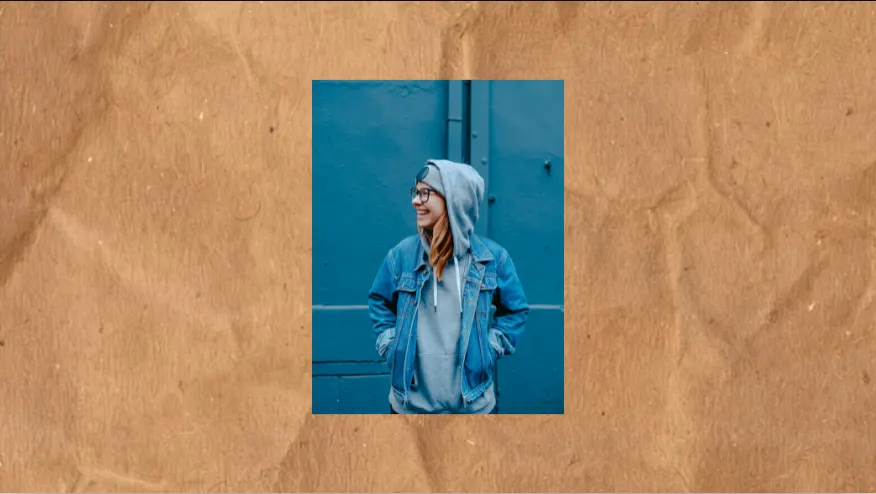
Portrait source image prepared for the Paper Fold effect
SOURCEONE IMAGE
Paper Fold output revealing the source image through photographed paper plates
OUTPUT4.125 SEC / 30 FPS
02 / SETTINGS

FIT. FILL. WIDE.

Paper Fold Fit setting in a portrait frame
FIT / 9:16
Paper Fold Fill setting in a square frame
FILL / 1:1
Paper Fold Wide setting in a landscape frame
WIDE / 16:9
03 / FRAME CHECK

CROP CHANGES THE CUT.

Paper Fold failed crop with the subject clipped at the edge
FAILED / FILL + OFFSETSUBJECT CLIPPED
Paper Fold corrected Fit crop with the subject held inside the frame
CORRECTED / FITFULL FRAME
04 / EXPORT ACCESS

PREVIEW FIRST. EXPORT CLEAN.

FREEUNLIMITED720P / 30 FPSWATERMARK$0
CREATOR ANNUALUNLIMITED1080P / 60 FPSCLEAN$39/ YEAR
CREATOR MONTHLYUNLIMITED1080P / 60 FPSCLEAN$4.99/ MONTH
EXPORT PACK20 EXPORTS1080P / 60 FPSCLEAN$3.99 ONE TIME
VIEW ALL EXPORT OPTIONS →
05 / FOLD NOTES

PAPER WITH A FRAME CLOCK.

01

WHAT A PAPER ANIMATOR DOES

A paper animator turns a photo, phrase, or pair of images into a short video where paper has a visible role. Instead of placing a flat texture over a moving rectangle, the motion uses folds, edges, shadows, print variation, and controlled occlusion to make the transition read as a physical action.

Paper Animation is an independent browser tool for that workflow. The product name is Paper Animation; paper animator describes the type of tool. Open the preview first, choose the motion that matches the shot, and move to the Studio when the input is ready.

02

START WITH THE INPUT

One image is enough for Crush Reveal or Newspaper Highlight. Three to eight images make a Scrapbook Photo Stack. Two complete frames make a Torn Paper Wipe. A phrase opens Text Match Cut or Magazine Letters. Choosing by input count keeps the first decision simple and prevents a blank editor from becoming part of the process.

JPG, PNG, WebP, and AVIF images are supported in the current browser studios. Keep faces, products, logos, and small type inside the central mobile area so the final frame remains useful after a social platform adds its own controls.

03

CHOOSE A PAPER MOTION

Crush Reveal opens a photographed paper form into a full-frame image. Newspaper Highlight gives one photo a headline and a highlighted phrase. Scrapbook Photo Stack creates a paced recap from an ordered group of photos. Torn Paper Wipe marks a before-and-after change with a matched irregular edge.

Text Match Cut and Magazine Letters handle phrase-led openings. The actual words are rendered by the browser and export composition, so the creator can revise the headline, line break, or phrase without asking an image model to draw readable lettering.

04

PREVIEW THE FINAL FRAME

A good paper animation has a clear opening, a physical change, and a final hold that the editor can use. Preview the first second at normal speed, then inspect the same section at quarter speed. The slower pass exposes a detached shadow, a flashing edge, or a crop jump that can disappear during normal playback.

The browser preview and export composition share the same project data, timing, crop, and seed. Keep those values fixed while reviewing a visual change so a new arrangement does not make a timing decision difficult to evaluate.

05

PAPER ANIMATOR FREE WORKFLOW

You can open the template library and preview the current studios before choosing an export plan. The free workflow is useful for checking the source crop, paper direction, headline hierarchy, and final hold. Paid access applies to the clean export options shown on the Pricing page.

A paper animation maker is most useful when it shortens the distance between an idea and a tested clip. Use the preview to make the visual decision, then choose the export option that fits the number of videos in the edit rather than paying before the template fits the source.

06

DESIGNED FOR SHORT-FORM VIDEO

The default portrait composition is built for TikTok, Reels, and Shorts. Use a fast entrance for a hook, a longer hold for an editorial headline, a stack for a recap, and a clean After frame for a before-and-after transition. Platform audio, captions, and the longer sequence can be added after the MP4 leaves the Studio.

Check the downloaded file on the phone where it will be watched. A desktop preview can hide a bottom caption collision or make small type appear larger than it feels at arm's length. The mobile pass is part of finishing the video, not a separate design exercise.

07

PAPER ANIMATION AND PAPERANIMATOR

PaperAnimator is a separate product and the exact features, plans, and hosted workflow should be checked on its current public pages. Paper Animation uses the phrase paper animator to describe the category while keeping its own brand, templates, and export workflow distinct.

If you are comparing tools, use the PaperAnimator alternative page for a dated feature review. If you are ready to make a clip, start with the input that matches the shot and open the corresponding Paper Animation Studio.

08

A SIMPLE FIRST TEST

Use one portrait, one product image, and one before-and-after pair. Run the closest template for each input, then compare the first visual change, subject preservation, edge stability, text readability on a phone, and the final hold. Those five checks reveal more than a poster viewed in isolation.

Save the template, crop, output size, frame rate, and seed with the downloaded file. Repeatability matters when a creator is building a series and needs the same paper animator workflow to produce several versions without starting from a blank timeline.

06 / DETAILS

PAPER FOLD, OPEN.

WHAT IS A PAPER ANIMATOR?

A paper animator is a tool that creates short videos using paper-like folds, edges, layers, print textures, and transitions around images or text.

CAN I USE MY OWN IMAGES?

Yes. The current image studios accept JPG, PNG, WebP, and AVIF source images.

DOES PAPER ANIMATION SUPPORT TEXT?

Yes. Text Match Cut, Magazine Letters, and Newspaper Highlight render creator-entered text in the browser and export composition.

CAN I PREVIEW BEFORE EXPORTING?

Yes. Open a template, adjust the key controls, and review the motion before choosing an export option.

IS PAPERANIMATOR THE SAME PRODUCT?

No. PaperAnimator is a separate service. Paper Animation is an independent paper animation tool and publishes a factual comparison page for users evaluating both workflows.